Choosing between cron, a queue and an event stream
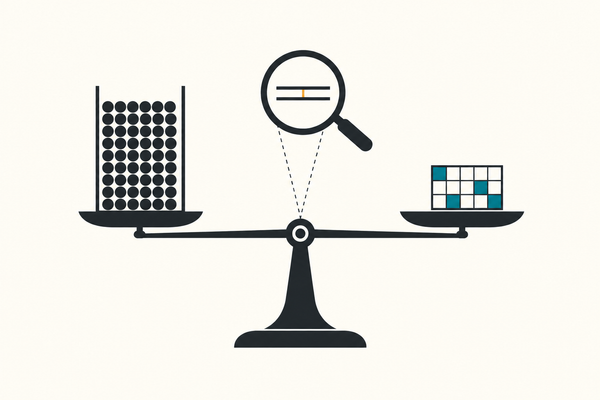
Most teams reach for a stream and need a queue. Cron loses the window it missed and runs itself twice; a queue fixes both in one clause; a stream is only worth it when several consumers need the same events, or you need to replay them.
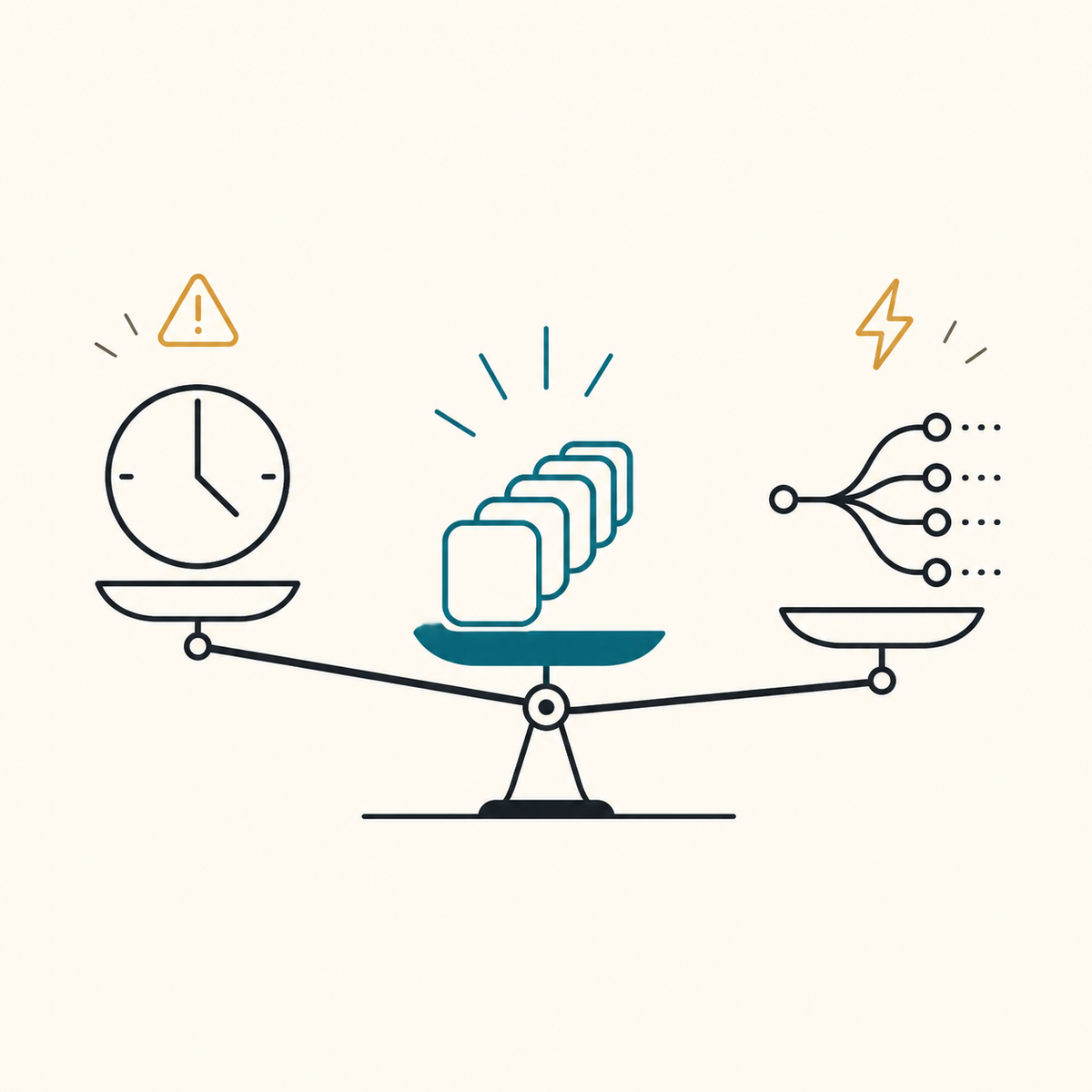
Use a queue. Unless several independent consumers need the same events, or you need to replay history, a queue is the right shape — and it is the one most teams skip past on the way to something they will spend a quarter operating.
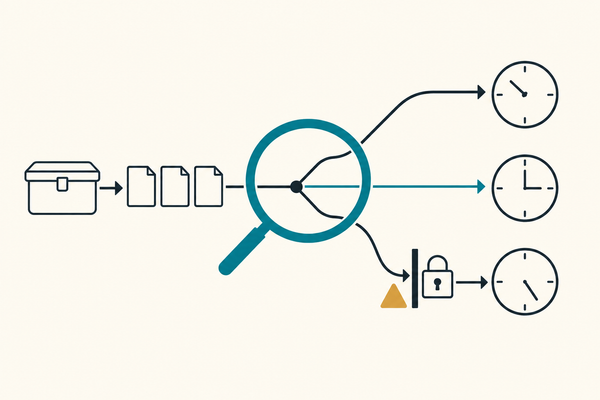
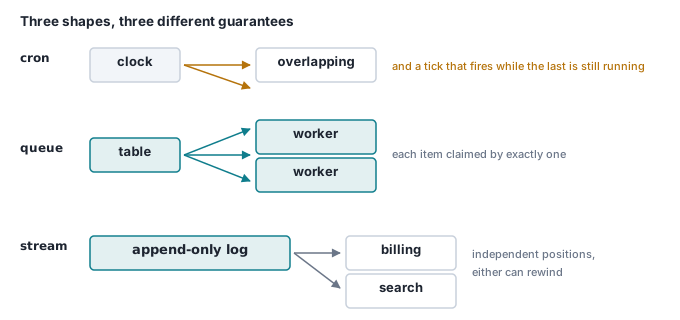
Cron answers "run this at a time". A queue answers "this piece of work must happen once, and I will keep trying". A stream answers "this happened, and anyone may care". They are not interchangeable, and the two failures below are what it costs to find that out in production.
The three shapes
| Unit | Who gets it | Guarantee | It forgets | |
|---|---|---|---|---|
| Cron | a time | one process, in theory | it starts at the time | everything, every tick |
| Queue | a job | exactly one worker | it is retried until done or dead-lettered | after it is done |
| Stream | an event | every consumer, independently | it is durable and ordered | after the retention window |
The middle column is the whole decision. A queue divides work between workers; a stream copies events to all of them. If you add a second worker to a queue, each does half the work. If you add a second consumer to a stream, it sees everything the first one saw.
Cron loses the tick it missed
Cron's problem is not that it fails. It is that failing looks exactly like succeeding: no output, no row, no alert. The version that hurts is a job scoped to a time window — "process everything from the last five minutes" — because a tick that never runs takes its window with it.
Here it is, deterministically: six items, one per second, and a job that processes "the last two seconds" every two seconds. The tick at :04 never runs, because the box was rebooting.
docker run --rm -d --name integ-shapes -e POSTGRES_PASSWORD=demo -p 55512:5432 postgres:16
until docker exec integ-shapes pg_isready -U postgres >/dev/null 2>&1; do sleep 1; done
DB=postgresql://postgres:demo@localhost:55512/postgres

psql $DB -q <<'SQL'
CREATE TABLE items (id INT PRIMARY KEY, created_at TIMESTAMPTZ NOT NULL);
CREATE TABLE seen  (id INT NOT NULL, by TEXT NOT NULL);
CREATE TABLE watermark (name TEXT PRIMARY KEY, position TIMESTAMPTZ NOT NULL);

-- one item per second for six seconds, from a fixed instant
INSERT INTO items
SELECT g, timestamptz '2026-08-30 10:00:00Z' + (g || ' seconds')::interval
FROM generate_series(1, 6) g;
INSERT INTO watermark VALUES ('job', timestamptz '2026-08-30 10:00:00Z');

-- "everything from the last two seconds"
CREATE FUNCTION tick_window(at TIMESTAMPTZ) RETURNS void LANGUAGE sql AS $$
  INSERT INTO seen (id, by)
  SELECT id, 'window' FROM items
   WHERE created_at > at - interval '2 seconds' AND created_at <= at;
$$;

-- "everything since I last finished"
CREATE FUNCTION tick_watermark(at TIMESTAMPTZ) RETURNS void LANGUAGE sql AS $$
  INSERT INTO seen (id, by)
  SELECT id, 'watermark' FROM items
   WHERE created_at > (SELECT position FROM watermark WHERE name = 'job')
     AND created_at <= at;
  UPDATE watermark SET position = at WHERE name = 'job';
$$;

-- ticks at :02, :04 and :06. The :04 tick never runs: the box was rebooting.
DO $$ BEGIN
  PERFORM tick_window(timestamptz '2026-08-30 10:00:02Z');
  PERFORM tick_window(timestamptz '2026-08-30 10:00:06Z');
  PERFORM tick_watermark(timestamptz '2026-08-30 10:00:02Z');
  PERFORM tick_watermark(timestamptz '2026-08-30 10:00:06Z');
END $$;
SQL

psql $DB -c "
SELECT i.id,
       (SELECT count(*) FROM seen s WHERE s.id = i.id AND s.by = 'window')    AS window_tick,
       (SELECT count(*) FROM seen s WHERE s.id = i.id AND s.by = 'watermark') AS watermark_tick
  FROM items i ORDER BY i.id;"
 id | window_tick | watermark_tick
----+-------------+----------------
  1 |           1 |              1
  2 |           1 |              1
  3 |           0 |              1
  4 |           0 |              1
  5 |           1 |              1
  6 |           1 |              1
Items 3 and 4 are gone. Nothing errored. The next tick succeeded, the dashboard is green, and the only trace is two records that never got processed — which you will discover when a customer asks about them next week.
The fix is in the second function, and it is not "monitor cron better". Do not scope work to a clock window. Scope it to a watermark you advance only after the work committed. Then a missed tick is a longer next tick, not a hole.
While you are there: a cron expression is not a time. 0 2 * * * is an instruction interpreted in whichever timezone the box happens to hold, and it runs twice, or not at all, on the two mornings a year the clocks change — which is its own article.
Cron also runs itself twice
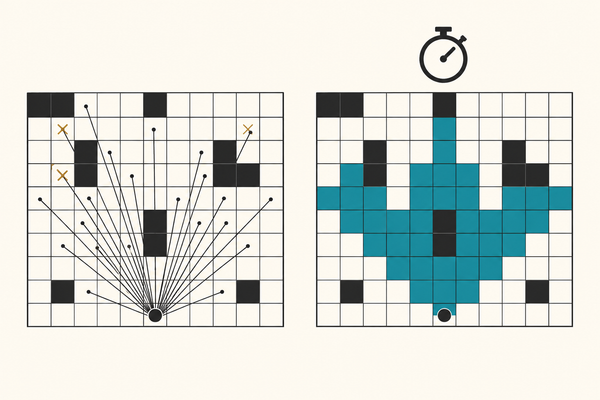
The second failure is the opposite: the tick fires while the previous one is still working. Cron does not check. If the work takes longer than the interval — and it will, on the day the upstream API is slow — you get two processes reading the same pending rows and doing the same work twice.
The naive tick reads the pending rows, works, then marks them done:
BEGIN;
CREATE TEMP TABLE batch AS
  SELECT id FROM work WHERE done = false ORDER BY id LIMIT 20;
-- ... two seconds of work ...
UPDATE work SET done = true WHERE id IN (SELECT id FROM batch);
COMMIT;
Two overlapping runs both read done = false before either commits, so both get the same twenty rows. Measured below: 40 rows written for 20 distinct items.
The usual patches are a lock file and a pgrep check at the top of the script. Both fail in the specific case you care about: the lock file survives a crash and blocks every future run, and pgrep cannot see a run on the other box.
The fix is to move the decision into the database, which is the only component that can arbitrate. Add two words:
CREATE TEMP TABLE batch AS
  SELECT id FROM work WHERE done = false ORDER BY id LIMIT 20
  FOR UPDATE SKIP LOCKED;
FOR UPDATE locks the rows for the length of the transaction. SKIP LOCKED tells the second run to walk past anything already locked and take the next twenty. Same timing, no overlap — and at that point you have stopped writing a cron job and started writing a worker. That is the whole of a job queue in Postgres.
When a queue is the answer
A queue is the right shape when the unit of work belongs to exactly one worker and must eventually complete. Which is nearly always. Concretely, you want a queue when you need any of:
- Per-item retry. One bad record should not fail the batch, and it should be retried on its own schedule, with backoff and jitter.
- Per-item visibility. "Where is order 4471?" is a
WHERE id = 4471, not a grep through last night's batch log. - Horizontal workers. Add a second worker and throughput goes up, with no coordination and no shard config.
- Somewhere for failures to sit. A dead-letter status is the difference between a known problem and a silent one.
- Backpressure you can see. Queue depth is a number. "Is the cron job behind?" is not.
Cron still has a job here, and it is a smaller one than people give it: waking something up. A trigger, not a worker. Let it enqueue and exit.
The one honest cost: a queue is at-least-once, so your handler must be idempotent. That is a unique key on something the sender controls, and it is not optional.
When you genuinely need a stream
Two reasons, and only two.
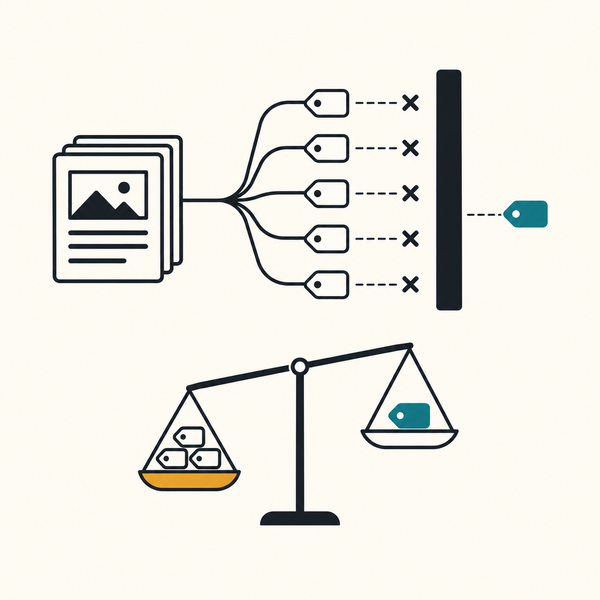
Several independent consumers need the same event. Billing, search indexing and the audit trail all care about order.created, they must not steal it from each other, and one being down must not stop the others. In a queue that is a fan-out problem you solve by writing to three queues; past three or four consumers, a log with per-consumer offsets is the simpler thing.
You need to replay. A new consumer that has to see the last 30 days, or a bug fixed on Tuesday that must be re-applied to Monday's events. A queue cannot do this at all: work is gone once it is done. A stream can, because consuming does not remove anything — it only moves a pointer.
DB=postgresql://postgres:demo@localhost:55512/postgres

psql $DB -q <<'SQL'
CREATE TABLE events (id BIGSERIAL PRIMARY KEY, kind TEXT NOT NULL);
CREATE TABLE consumer_offsets (consumer TEXT PRIMARY KEY, position BIGINT NOT NULL DEFAULT 0);
INSERT INTO consumer_offsets (consumer) VALUES ('billing'), ('search');
SQL

# read everything past this consumer's offset, then advance it
read_as() {
psql $DB -c "
WITH pos AS (SELECT position FROM consumer_offsets WHERE consumer = '$1' FOR UPDATE),
     batch AS (SELECT e.id, e.kind FROM events e, pos WHERE e.id > pos.position ORDER BY e.id),
     adv AS (UPDATE consumer_offsets
                SET position = COALESCE((SELECT max(id) FROM batch), position)
              WHERE consumer = '$1')
SELECT id, kind FROM batch;"
}

psql $DB -q -c "INSERT INTO events (kind) SELECT 'e' || g FROM generate_series(1,5) g;"
read_as billing
read_as search
psql $DB -q -c "UPDATE consumer_offsets SET position = 0 WHERE consumer = 'search';"
read_as search      # replay
Both consumers see all five events, and search sees them again after its offset is reset. That is the property you are buying, and a queue does not have it at any price.
The bug that makes streams expensive
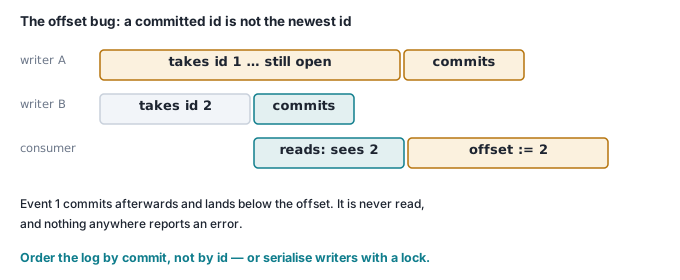
Here is the part that is not in the diagram. An offset is a promise that everything below it has been seen, and an auto-increment id cannot make that promise, because ids are handed out when a row is inserted and rows become visible when the transaction commits — and those are not the same order.
Two writers. The first opens a transaction, inserts order.created as id 1, and stays open for three seconds. The second opens a transaction, inserts order.shipped as id 2, and commits immediately. A consumer reading in between sees id 2, advances its offset to 2, and has just promised it processed id 1.
write() {  # $1 = kind, $2 = seconds the transaction stays open
psql $DB -q <<SQL
BEGIN;
INSERT INTO events (kind) VALUES ('$1');
DO \$\$ BEGIN PERFORM pg_sleep($2); END \$\$;
COMMIT;
SQL
}

write "order.created" 3 &     # starts first, commits last
sleep 1
write "order.shipped" 0       # starts second, commits first
read_as billing               # while the first writer is still open
wait
read_as billing               # after it commits
psql $DB -c "SELECT id, kind FROM events ORDER BY id;"
-- consumer reads while the first writer is still open:
 id |     kind
----+---------------
  2 | order.shipped

-- consumer reads again, after that writer commits:
 id | kind
----+------
(0 rows)

-- what is actually in the log:
 id |     kind
----+---------------
  1 | order.created
  2 | order.shipped
order.created is in the log and will never be delivered. No error, no retry, no dead letter — the consumer believes it is up to date. This is not a Postgres quirk; it is what any log built on an insert-time sequence does, and it is why real streaming systems assign positions at commit time.
The cheap fix, if you are building this on a table, is to make id order equal commit order by serialising the writers:
write() {  # same function, one line added
psql $DB -q <<SQL
BEGIN;
SELECT pg_advisory_xact_lock(1);      -- one writer at a time, per stream
INSERT INTO events (kind) VALUES ('$1');
DO \$\$ BEGIN PERFORM pg_sleep($2); END \$\$;
COMMIT;
SQL
}
Run the same race with that line in and the consumer receives both events, in order. It works, and it costs you concurrent writes to the log — every producer now queues behind the slowest open transaction. That trade-off is the point of this section: the stream shape looks like an append-only table until you try to read it exactly once, and then it is a distributed-systems problem you have taken on to serve consumers you may not have yet.
Kafka, Redpanda and friends solve this properly. They also come with partitions, consumer groups, rebalancing, retention policy and a second thing to run at 3am. That is a fair trade for a real fan-out and a real replay requirement. It is a bad trade for one consumer that just needs each job done once.
Check it yourself
The overlap, measured. Two runs one second apart, each taking two seconds, over 40 pending rows — first as cron, then with one clause added.
DB=postgresql://postgres:demo@localhost:55512/postgres

psql $DB -q <<'SQL'
CREATE TABLE work (id INT PRIMARY KEY, done BOOLEAN NOT NULL DEFAULT false);
CREATE TABLE processed (item_id INT NOT NULL, by TEXT NOT NULL);
INSERT INTO work (id) SELECT generate_series(1, 40);
SQL

# one run: read the pending rows, spend two seconds on them, mark them done
run() {   # $1 = name, $2 = claim clause
psql $DB -q <<SQL
BEGIN;
CREATE TEMP TABLE batch AS
  SELECT id FROM work WHERE done = false ORDER BY id LIMIT 20 $2;
DO \$\$ BEGIN PERFORM pg_sleep(2); END \$\$;
INSERT INTO processed (item_id, by) SELECT id, '$1' FROM batch;
UPDATE work SET done = true WHERE id IN (SELECT id FROM batch);
COMMIT;
SQL
}

count() {
psql $DB -c "SELECT count(*) AS rows_written, count(DISTINCT item_id) AS distinct_items,
                    count(*) - count(DISTINCT item_id) AS duplicates FROM processed;"
}

echo "== cron: fires every second, each run takes two"
run "cron-1" "" & sleep 1; run "cron-2" ""; wait
count

psql $DB -q -c "TRUNCATE processed; UPDATE work SET done = false;"

echo "== queue: same timing, one clause added"
run "worker-1" "FOR UPDATE SKIP LOCKED" & sleep 1; run "worker-2" "FOR UPDATE SKIP LOCKED"; wait
count

docker rm -f integ-shapes
Output, on Postgres 16.15:
== cron: fires every second, each run takes two
 rows_written | distinct_items | duplicates
--------------+----------------+------------
           40 |             20 |         20

== queue: same timing, one clause added
 rows_written | distinct_items | duplicates
--------------+----------------+------------
           40 |             40 |          0
Twenty items processed twice, and twenty never processed at all in the first run — the second cron tick took the same twenty rows the first one was holding, so rows 21 to 40 were still pending when both finished. Adding FOR UPDATE SKIP LOCKED gives 40 items, 40 rows, no duplicates, at identical timing.
Where this goes next
The honest summary is a short decision:
- Do several independent consumers need the same events, or do you need to replay history? If not, you do not need a stream.
- Does each unit of work need to happen once, with its own retry and its own status? That is a queue, and you can build it on the database you already have.
- Is the only requirement "start this at 09:00"? That is cron — and its job is to enqueue, not to work.
Most systems that reach for a stream want step 2 with a nicer story. The cheapest way to find out is to build the queue, watch the queue depth for a month, and add the log when a second consumer actually turns up.
Related: the Postgres job queue in detail, what at-least-once obliges your handler to do, and why a recurring schedule needs a timezone, not just a timestamp. All three shapes sit behind the triggers in Workflow Builder: a schedule enqueues, a worker runs the flow, and every attempt is a row you can look at.