One config file for TLS, routing and three apps on one domain
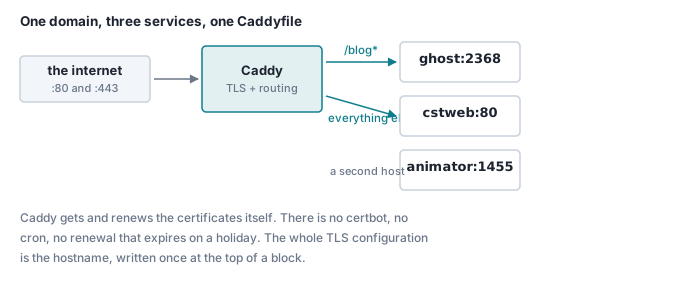
Caddy issues and renews certificates itself, so the entire TLS setup is a hostname. Here is the config running a site, a blog and an app on one domain — plus the certificate failure that had nothing to do with Caddy.
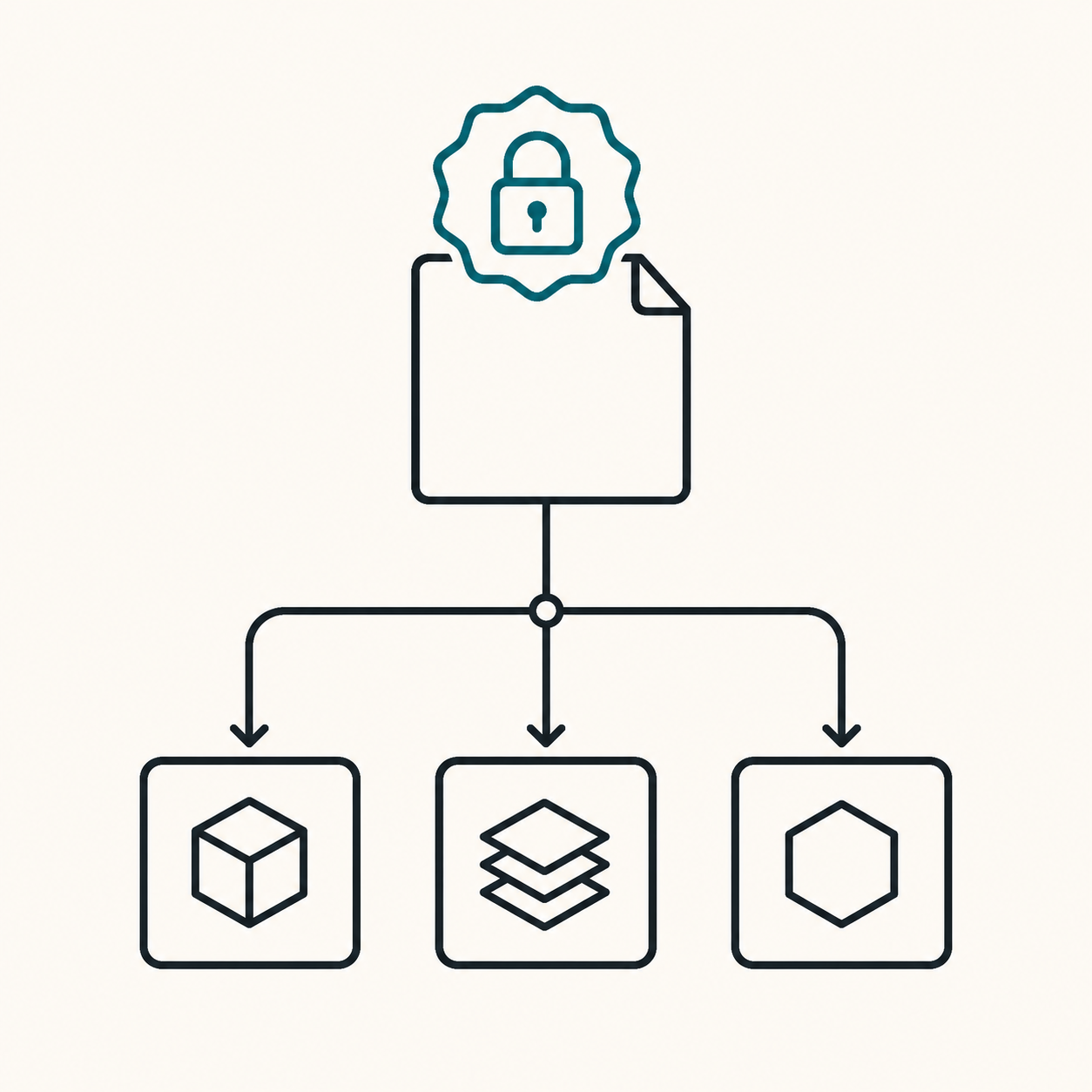
Write the hostname at the top of a block and Caddy gets the certificate, installs it, and renews it forever. No certbot, no renewal cron, no expiry that lands on a public holiday. This is the config running this site, this blog and a separate app on one domain — about thirty lines, in full.
The whole thing
{
	email you@example.com
}

cstsolution.com {
	handle /blog* {
		reverse_proxy ghost:2368 {
			lb_try_duration 15s
			lb_try_interval 500ms
		}
	}

	handle {
		reverse_proxy cstweb:80 {
			lb_try_duration 15s
			lb_try_interval 250ms
		}
	}
}

www.cstsolution.com {
	redir https://cstsolution.com{uri} permanent
}

animator.cstsolution.com {
	reverse_proxy animator:1455
}
That is TLS for three hostnames, a path split, a canonical redirect and zero-downtime deploys. The email at the top is the only certificate configuration there is — it is where expiry warnings would go if Caddy ever needed to send one.
Three things that are easy to get wrong
handle blocks are not evaluated in the order you wrote them
This is the one that surprises people coming from nginx or Apache, and it surprises them in the helpful direction: Caddy sorts handle blocks by specificity, so a catch-all written above /blog* still loses to it.
Write the config deliberately backwards and check:
docker exec caddy caddy adapt --config /etc/caddy/Caddyfile | jq '.apps.http.servers.srv0.routes[].match'
[{"path":["/api*"]}]     ← route 0, though it was written second
null                     ← route 1, the catch-all
So you cannot break routing by ordering blocks wrongly. What you can break is the assumption — if you are debugging a route that is not matching, the order in the file is not the cause, and caddy adapt shows you the order Caddy actually built.
(This applies to handle. Inside a single block, ordinary directives do follow a fixed built-in order, and route exists for when you need literal sequence.)
handle is not handle_path``handle_path strips the matched prefix before
proxying; handle passes the path through untouched.
Ghost, configured with url set to https://cstsolution.com/blog, generates its own /blog/... links and expects to receive them — so it needs handle. Use handle_path and the admin panel loads while every asset 404s, which is a confusing hour if you do not know the distinction exists.
Containers are reached by name, not by port
reverse_proxy ghost:2368 works because Caddy and Ghost share a Docker network, and Docker's internal DNS resolves the container name. Ghost's port is never published to the host at all:
services:
  ghost:
    networks: [cst]        # no `ports:` — nothing is exposed publicly
networks:
  cst:
    external: true
    name: cst_default
Only Caddy publishes 80 and 443. Everything else is unreachable from the internet except through it. That is worth more than most of the hardening people do instead.
A redeploy is an outage unless you say otherwise
docker compose up -d stops the old container before the new one is ready. For a few seconds Caddy has no upstream, and visitors get a 502.
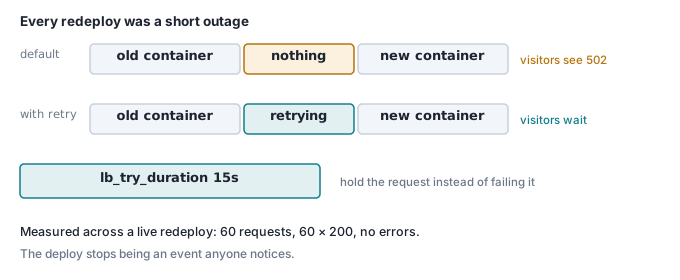
reverse_proxy cstweb:80 {
	lb_try_duration 15s
	lb_try_interval 250ms
}
Caddy now retries a dead upstream for fifteen seconds instead of failing. A request landing mid-deploy waits a moment rather than breaking.
Measured across a live redeploy — 60 requests during a container recreate — 60 responses, all 200, no errors. Before the change, a request in that window failed. It is one directive.
The certificate failure that was not Caddy's fault
The domain's A record pointed at the server. Caddy still could not get a certificate, and the ACME log said the challenge had been answered by a suspended hosting page at the old provider.
The A record was correct. Nobody had looked at the AAAA record, which still pointed at a Cloudflare proxy in front of the old host. Let's Encrypt resolves both and prefers IPv6 — so the challenge went to an address that had been forgotten about, and the correct one was never asked.
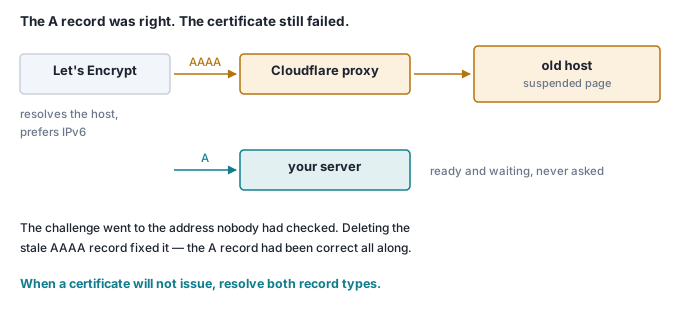
dig +short A    example.com      # 203.0.113.10   ← the one you checked
dig +short AAAA example.com      # 2606:4700:...  ← the one that answered
Deleting the stale AAAA record fixed it in under a minute.
Two things follow. Resolve both record types when a certificate will not issue — checking the A record and stopping there is the default mistake. And Caddy backs off: after repeated ACME failures it waits up to ten minutes between attempts, so a DNS fix does not appear to work immediately. Restart the container to clear the backoff:
docker compose restart caddy
Ours issued about ten seconds later.
Proxying, not tunnelling
One caveat, because it bit an earlier setup on the same box: a proxy in front of your origin is fine for HTTP, and useless for anything else. Postgres on 25060 is raw TCP — an HTTP proxy cannot carry it, so that record has to point straight at the server. And a proxy in front of a host whose certificate Caddy is trying to obtain will break the ACME challenge, exactly as above.
If Caddy is terminating TLS, let DNS point at Caddy.
Check it yourself
Two containers and a certificate for localhost, in a minute:
mkdir caddy-demo && cd caddy-demo
cat > Caddyfile <<'EOF'
:8080 {
	handle /api* {
		respond "this is the api"
	}
	handle {
		respond "this is the site"
	}
}
EOF

docker run --rm -p 8080:8080 -v "$PWD/Caddyfile:/etc/caddy/Caddyfile:ro" caddy:2
curl localhost:8080/          # this is the site
curl localhost:8080/api/x     # this is the api
Now swap the two handle blocks so the catch-all is written first, and run it again. Both answers are identical — Caddy sorted them by specificity, exactly as it would have anyway. To see that ordering directly:
docker run --rm -v "$PWD/Caddyfile:/etc/caddy/Caddyfile:ro" caddy:2 \
  caddy adapt --config /etc/caddy/Caddyfile
The /api* matcher appears as route 0 whichever way round you wrote it.
Where this goes next
This is the front door for everything at cstsolution.com — the site, this blog, and the Game Asset Generator on its own hostname. It is also part of why shipping software as a Docker image is practical: the customer runs one compose file, and the proxy config is thirty lines they never have to think about.
Earlier in this series: a job queue in Postgres, how a worker authenticates, and moving files with only a password prompt.