Ship your software as a Docker image, not an account
If the customer has Docker, they have the product. The build is the easy half — the rest is drawing a clear line between what you ship and what stays theirs, so support does not become the business.
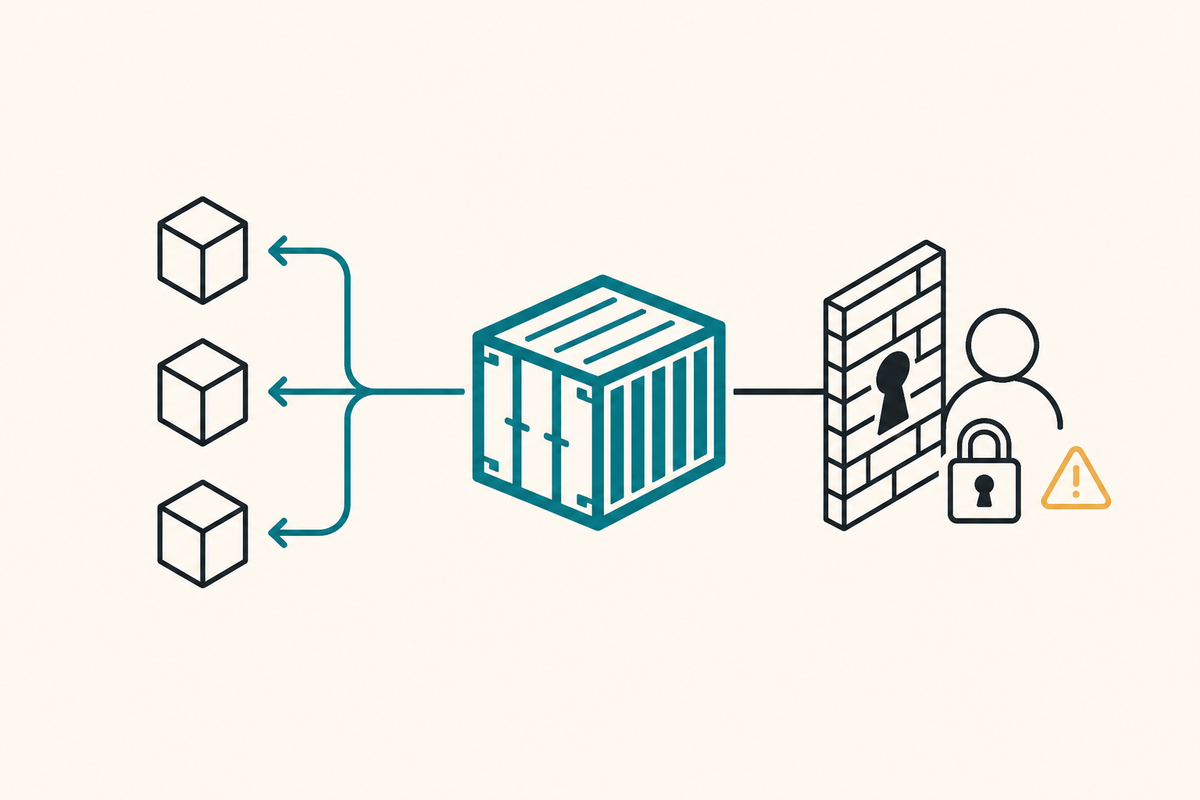
Build the image, publish it to a registry, hand over a compose file. The customer runs one command and the product is theirs — on their server, with their data, on their network. For a lot of buyers that is not a nice-to-have, it is the only version they are allowed to buy.
The technical part takes an afternoon. What follows is the afternoon, and then the four decisions that decide whether self-hosting is a product line or a support burden.
The build
This is the entire Dockerfile behind the site you are reading:
# Build the SPA, then serve the static output with Caddy.
FROM node:22-alpine AS build
WORKDIR /app
COPY package*.json ./
RUN npm ci
COPY . .
RUN npm run build

FROM caddy:2-alpine
COPY --from=build /app/dist /srv
COPY Caddyfile.site /etc/caddy/Caddyfile
EXPOSE 80
Two FROM lines. The first stage installs Node, pulls the dependency tree and runs the build. The second starts fresh from Caddy and copies only the output. Node, node_modules and the source never exist in the shipped image.

The numbers from our registry:
caddy:2         88.7 MB     the base
cstweb:latest   89.3 MB     the base, plus the whole application
0.6 MB. Everything the customer downloads that is specifically ours is smaller than a photo. Skip the multi-stage build and you ship Node, a package manager and a dependency tree that is mostly build tooling — several hundred megabytes of attack surface that never runs.
COPY package*.json before COPY . . is not cosmetic either. Docker caches layers, so dependencies only reinstall when the manifest changes. A code-only change rebuilds in seconds instead of minutes.
The compose file they actually run
The image is half of it. The other half is the file that makes it start correctly with no explanation from you:
services:
  app:
    image: ghcr.io/yourco/product:1.4.2
    restart: unless-stopped
    env_file: .env
    volumes:
      - ./data:/var/lib/app/data
    ports:
      - "8080:80"
Four decisions are baked into those nine lines.
Pin the version. :1.4.2, never :latest. With latest, "it worked yesterday" and "it broke today" can both be true with nothing changed on their side, and you will spend the call establishing which image they are running. A pinned tag makes that question a one-line answer.
Configuration comes from the environment. Not baked into the image, not a config file they have to edit inside a container. One .env, and ship an .env.example beside it that lists every variable with a sane default and a comment. That file is your real installation documentation.
Data goes on a bind mount they chose. ./data, a path in their directory, not a named volume buried in Docker's storage. It survives docker compose down -v, it is visible to their backup tooling, and it makes the ownership obvious — the difference matters more than it looks.
Publish one port, and only one. If your stack has a database, it joins an internal network and publishes nothing. The only thing reachable from outside is the app.
Where the line goes

Decide this once and write it down, because every support conversation is really the question which side of this line is the problem on?
| You ship | They own |
|---|---|
| The image, on a registry | Their .env, with real secrets |
docker-compose.yml |
Their data directory |
.env.example |
Their database, backups, TLS |
| Release notes and a version | The machine, and its disk |
The corollary is uncomfortable and worth accepting early: you cannot see their logs. No dashboard, no error tracker, no reproducing it on staging. Which means the software has to explain itself out loud — start-up checks that say "DATABASE_URL is not set" rather than throwing a stack trace, and a /health endpoint they can curl before they email you.
Getting it to them
docker build -t ghcr.io/yourco/product:1.4.2 .
docker push  ghcr.io/yourco/product:1.4.2
A private registry package plus a read-only token per customer is enough access control for most businesses, and it costs nothing at this scale. Their side:
docker login ghcr.io -u <them> --password-stdin
docker compose up -d
That is the whole installation. If it needs more steps than that, the extra steps are your bug, not their problem.
The four things that decide whether this scales
Updates. They pull when they choose, which means several versions are live at once. Support the last few properly and say in writing how long — "the current minor and the one before it" is a defensible line that costs you little.
Migrations must be automatic and idempotent. The app runs them at start-up, every time, and does nothing when there is nothing to do. A customer who skipped two releases must be able to jump straight to current. A migration step they have to run by hand will eventually be skipped, and the bug report will look like a data corruption.
Licensing is a business decision, not a technical one. A key check phoning home breaks the promise that made self-hosting attractive, and can be patched out in an afternoon by anyone who wants to. Contracts and invoices do more real work here than code. If you must have a key, make it offline-verifiable and degrade to a warning rather than a hard stop.
Telemetry: default to none. The customers who want self-hosting are usually the ones who cannot send data out — that is often the entire reason they are buying this version. Off by default, opt-in, and documented plainly.
Check it yourself
Build a two-stage image and watch the toolchain vanish:
mkdir shipdemo && cd shipdemo
echo '<h1>shipped</h1>' > index.html

cat > Dockerfile <<'EOF'
FROM node:22-alpine AS build
WORKDIR /app
COPY index.html .
RUN mkdir dist && cp index.html dist/

FROM caddy:2-alpine
COPY --from=build /app/dist /usr/share/caddy
EOF

docker build -t shipdemo:1.0 .
docker images shipdemo:1.0 --format '{{.Size}}'      # ~89 MB, not ~230 MB
docker run --rm shipdemo:1.0 node --version          # not found — Node never shipped
That last command failing is the point: the build toolchain is not in the artifact.
docker rmi shipdemo:1.0 && cd .. && rm -rf shipdemo
Where this goes next
This is how we deliver our self-hostable products — the image, a compose file, and no account required. It is also how this blog and the site around it run on our own box, which is the honest test: we ship ourselves the same artifact.
Earlier in this series: a job queue in Postgres, worker authentication, moving files with only a password prompt, one Caddyfile for TLS and routing, and where your database actually lives.